POS Stock
Version: 1.0.0 · Route: /pos-stock
Who can access
Users with POS Stock view permission. Add/import/delete require edit or delete rights.
Screenshots
What this page does
Tracks POS inventory rows (SKU, barcode, size, color, quantities, prices). Supports import/export and Shopify verify/push actions in production (mocked in Demo Mode).
Layout at a glance
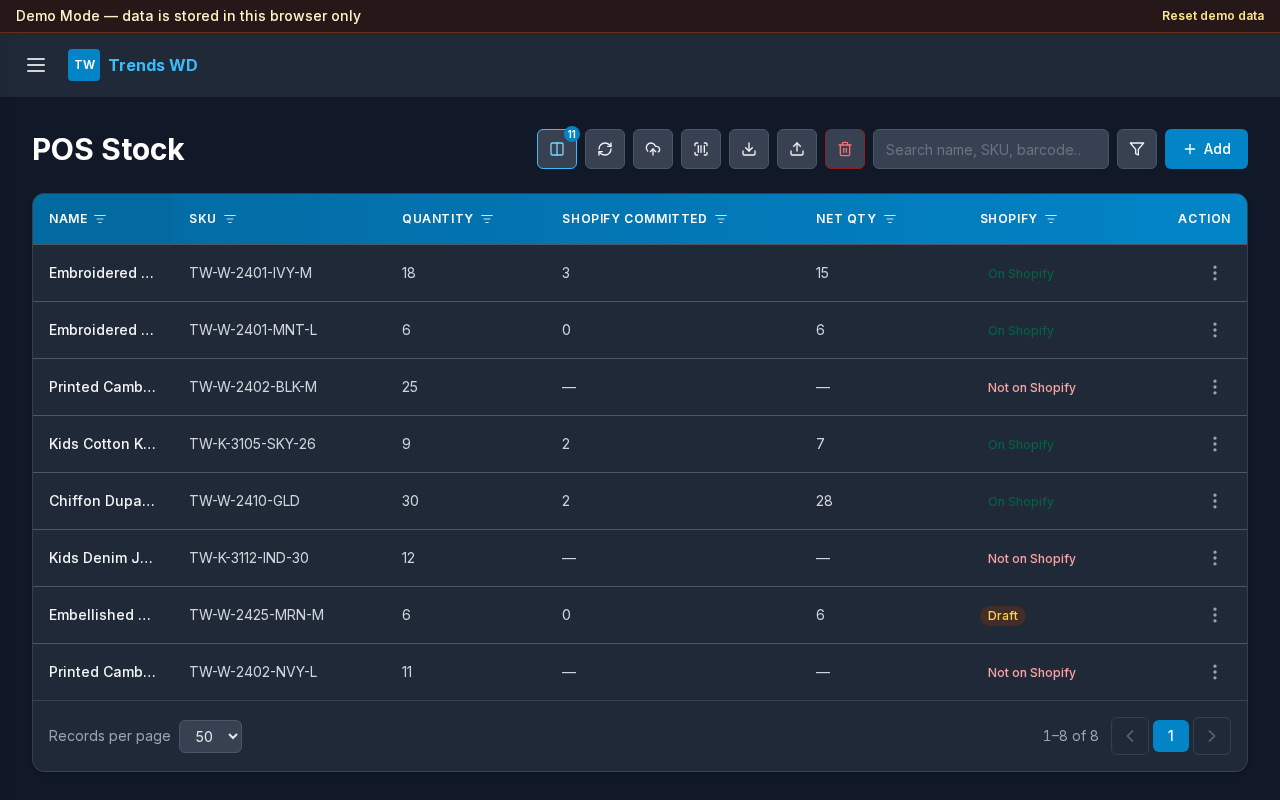
- Search, Actions menu (columns, Shopify verify/push, import/export, delete), filters
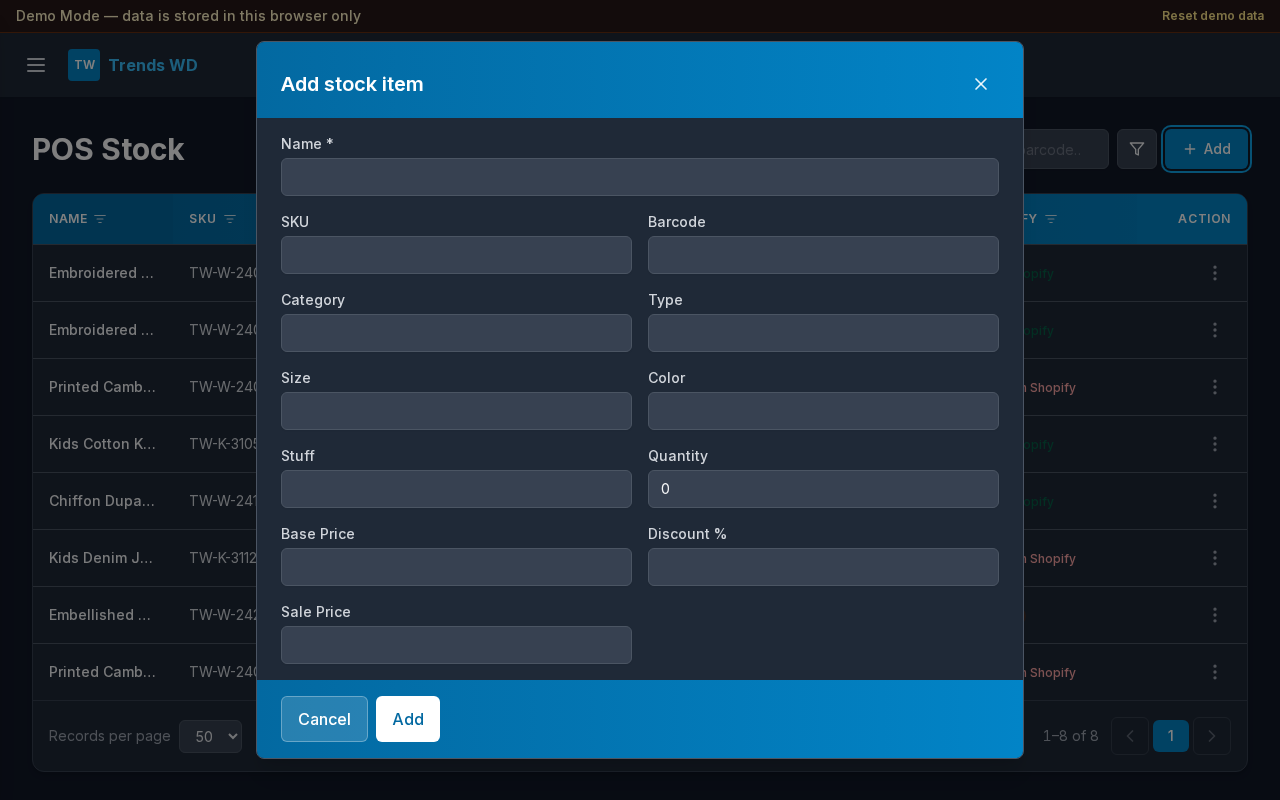
- Add button
- Stock table with Shopify status columns
Steps
- Browse or search stock by SKU or product fields. The table loads one page at a time from the server (same pattern as large courier shipment lists), so large catalogs stay fast.
- Select Add to create a row.
- Import from spreadsheet when bulk loading — matching SKU rows update existing stock; new SKUs are created. Large files are written in server batches for speed.
- Export CSV for offline review.
- Use Actions → Verify Shopify to match POS SKUs against Active, Draft, and Archived Shopify products; status appears in the SHOPIFY column.
- Use Actions → Push Net Qty to set Shopify Available = Net Qty for each matching SKU (Active, Draft, or Archived). Committed stays on Shopify; Available is replaced.
- Use Actions → Push Barcode to update Shopify barcodes, and Actions → Push Prices to update Compare at Price (base) and Price (sale) per SKU.