Dashboard
Version: 1.0.0
| Route | /admin → Dashboard |
| Access | Roles with Dashboard view |
Purpose
Operational snapshot for today and the month: revenue, appointments, and branch activity.
Screenshot
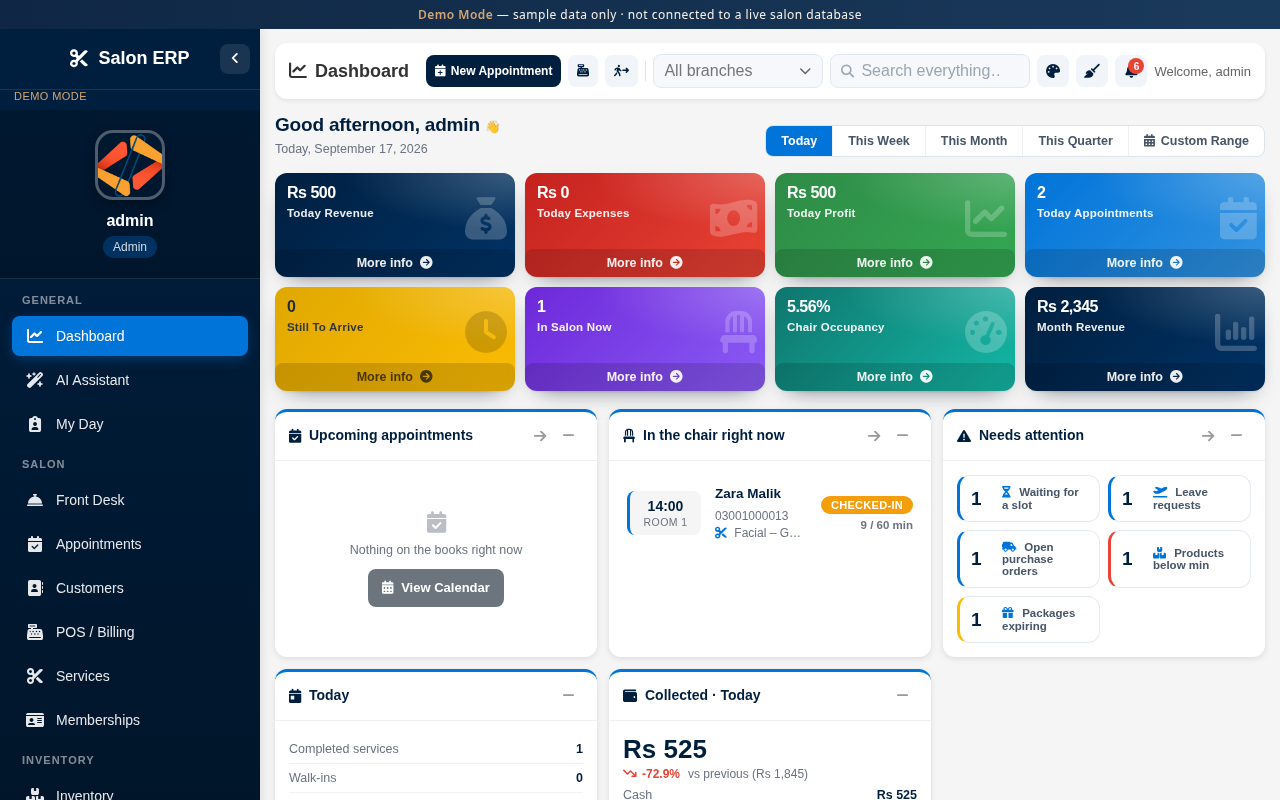
Figures come from live salon transactions in the seeded demo.
Layout at a glance
| Area | Detail |
|---|---|
| Demo banner | Fixed Demo Mode notice at the top |
| Sidebar | Module navigation by role |
| Header | Page title, search, theme, notifications |
| Main | Tables, calendars, or KPI cards for this module |
Steps
- After sign-in, open Dashboard from the sidebar if needed.
- Review today’s KPIs and month pace.
- Use header shortcuts to jump to Front Desk, Appointments, or POS.
Errors and edge cases
- If a page is empty of permissions, ask an administrator to grant access under Roles & Permissions.
- Demo Mode changes stay in this sandbox until you use Reset demo data.