Customer feedback form
Version: 1.0.0
Route: /
Who can access: Anyone (public)
What this page does
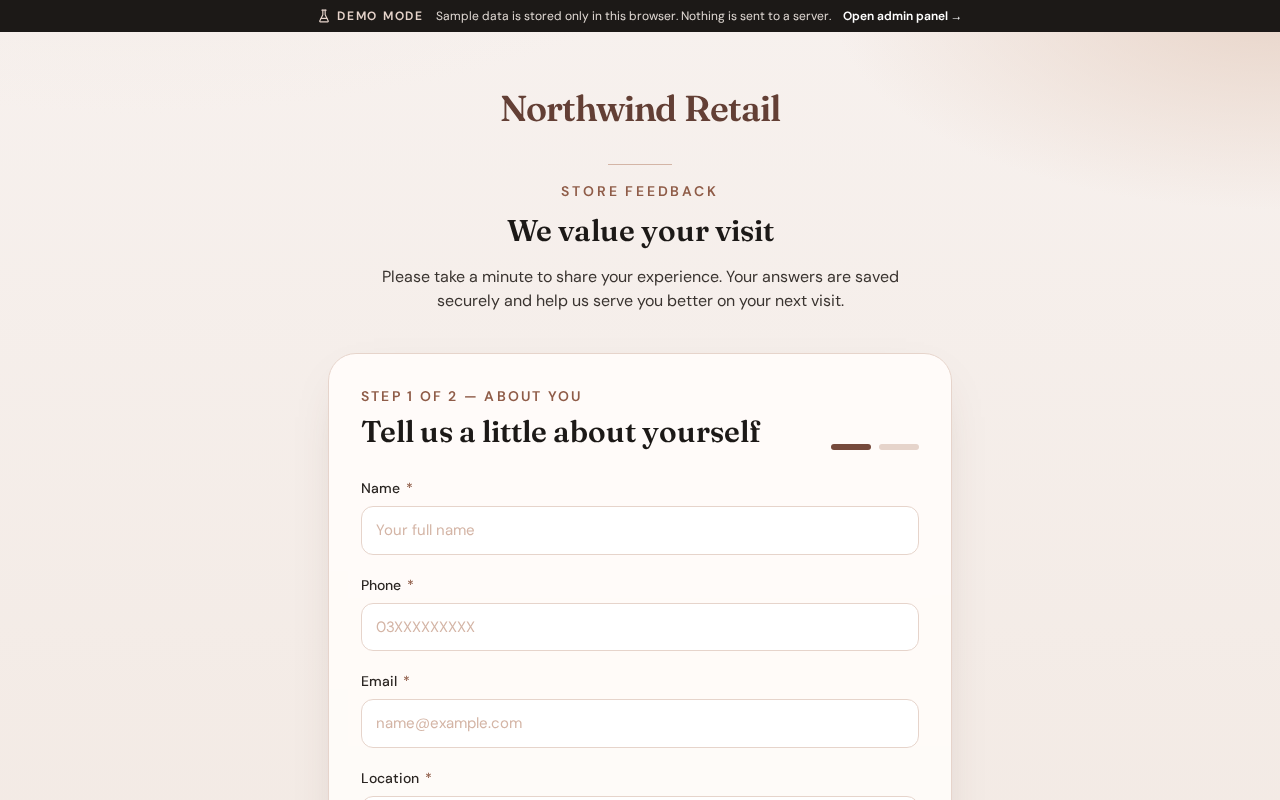
Collects store-visit feedback from customers in a short multi-step form. Submitted responses appear in the admin dashboard and entries list.
Layout at a glance
- Brand header (store name or logo)
- Step progress indicator
- Form fields for personal details, then visit feedback
- Continue / Back / Submit actions
Steps
- Open the public form at
/. - Complete About you: full name, phone, email, location, gender, and age group.
- Select Continue.
- Complete Visit feedback: date of visit, challenges (if any), purchase categories, overall satisfaction (stars), and optional notes.
- Select Submit. A confirmation message appears when the response is saved.
Fields
| Area | Fields |
|---|---|
| About you | Full name, phone, email, location, gender, age group |
| Visit feedback | Date of visit, challenges, purchase categories, overall satisfaction, notes |
Required fields are marked. Invalid fields highlight before you can continue.
Errors & edge cases
- Missing required fields block progress until corrected.
- If submission fails, an error message appears; you can retry without losing entered data where possible.