My Profile
Version: 1.0.0
Route: /admin/profile
Who can access: Signed-in admin users
What this page does
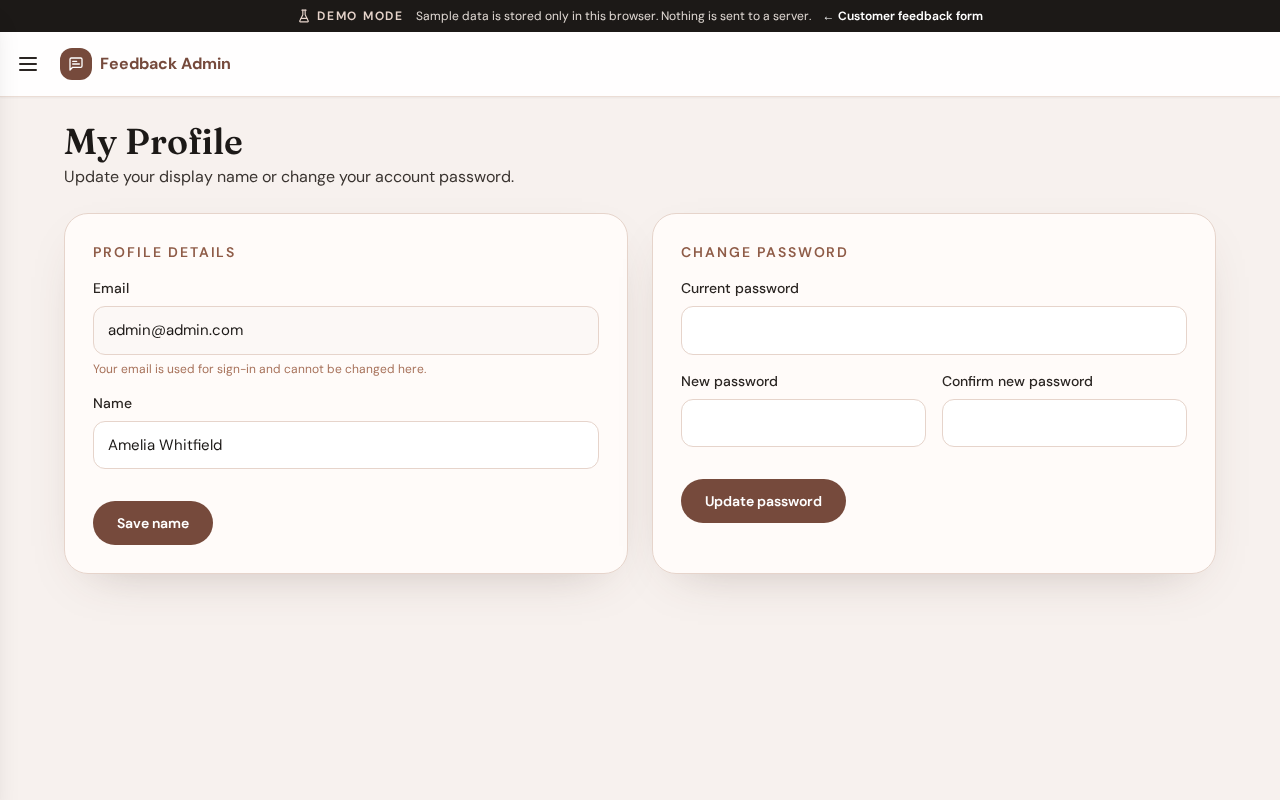
Lets the signed-in user update display name and password for their admin account.
Layout at a glance
- Display name
- Email (usually read-only)
- Password change fields
- Save actions
Steps
- Open My Profile from the menu.
- Update your display name if needed and save.
- To change password, enter the current and new password fields, then save.
- Sign out and sign back in if you need to confirm the new password.
Errors & edge cases
- Password mismatch or weak validation messages appear inline.
- In Demo Mode, password changes validate but demo account passwords remain usable for capture and training.