Home
Version: 1.0.0
Route: /dashboard
Who can access: Signed-in users
Screenshot
Mobile:
What this page does
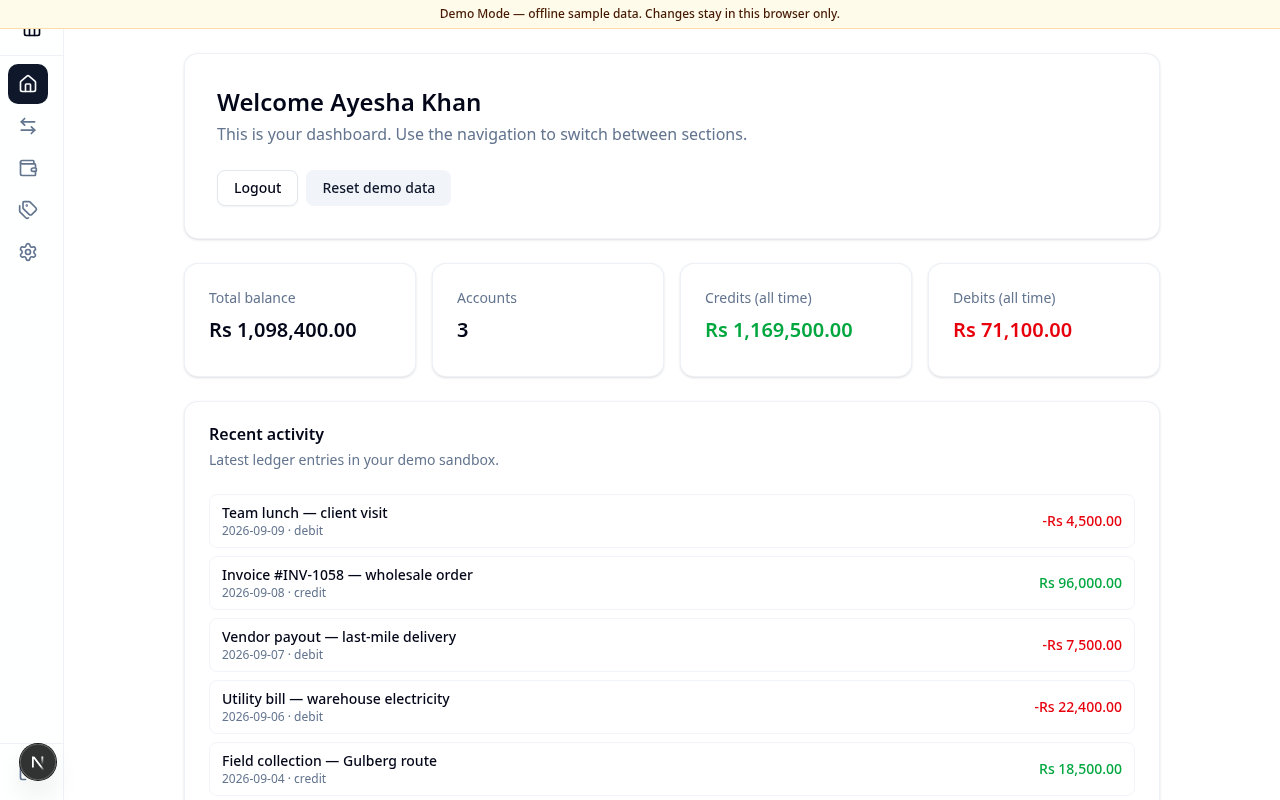
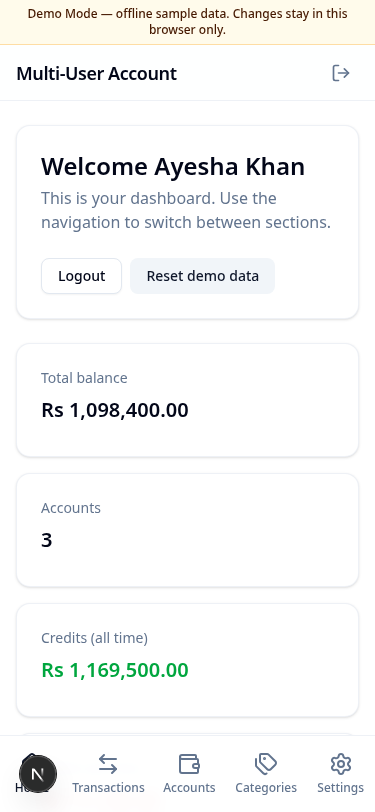
Home is your starting point after sign-in. It shows a welcome message, summary figures for your ledger, recent activity, and shortcuts to log out or reset Demo Mode data.
Layout at a glance
- Welcome card with Logout and (in Demo Mode) Reset demo data
- Summary cards: Total balance, Accounts, Credits (all time), Debits (all time)
- Recent activity list of the latest entries
Steps
- Sign in and wait for Home to load.
- Review the summary cards to see overall PKR balance and activity.
- Scan Recent activity for the latest narrations and amounts.
- Use the sidebar or bottom navigation to open Transactions, Accounts, Categories, or Settings.
- Choose Logout to end the session, or Reset demo data (Demo Mode) to restore the sample ledger.
Errors & edge cases
- If you open Home without a session, you are redirected to Sign in.
- An empty recent list means no transactions exist yet — add one from Transactions.