Accounts
Version: 1.0.0
Route: /accounts
Who can access: Signed-in users
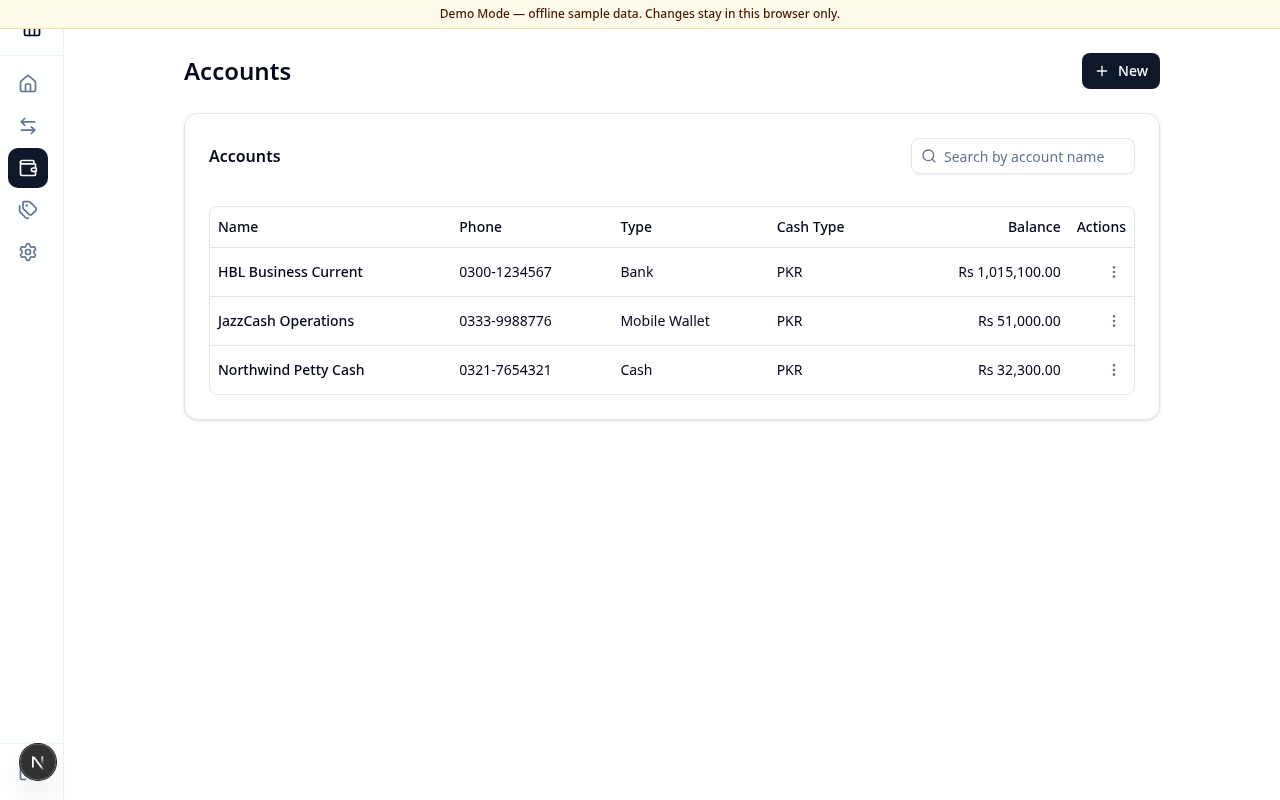
Screenshot
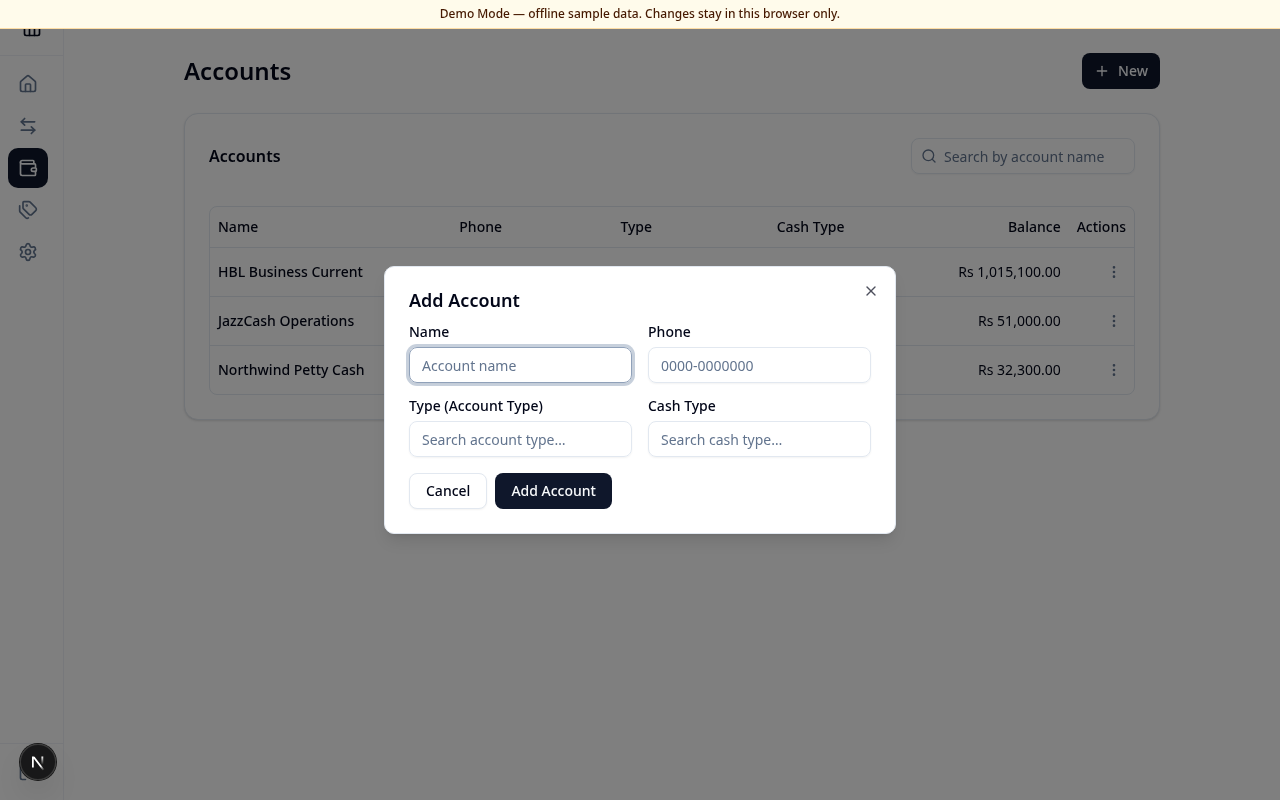
Add / edit dialog:
What this page does
Create and manage the accounts that hold balances in your ledger (for example bank, cash, or mobile wallet). New accounts start at zero balance; balances change when you post transactions.
Layout at a glance
- Accounts title and New button
- Search by account name
- Account list (table on desktop, compact cards on mobile) with actions menu
Add an account
- Choose New.
- Enter Name.
- Enter Phone in the format
0000-0000000(11 digits). - Select Type (Account Type) and Cash Type (these come from Categories).
- Choose Add Account, or Cancel to discard.
Edit or delete
- Open the row Actions menu (⋯).
- Choose Edit to update name, phone, or types, then Save changes.
- Choose Delete and confirm. Linked transactions for that account are removed.
Columns (desktop)
| Column | Meaning |
|---|---|
| Name | Account display name |
| Phone | Contact number |
| Type | Account type category |
| Cash Type | Cash / currency category |
| Balance | Current PKR balance |
| Actions | Edit / Delete |
Errors & edge cases
- Phone must match
0000-0000000or the form shows a validation message. - Account type and cash type are required — create them under Categories first if the lists are empty.
- Search with no matches shows a calm empty state.