Categories
Version: 1.0.0
Route: /categories
Who can access: Signed-in users
Screenshot
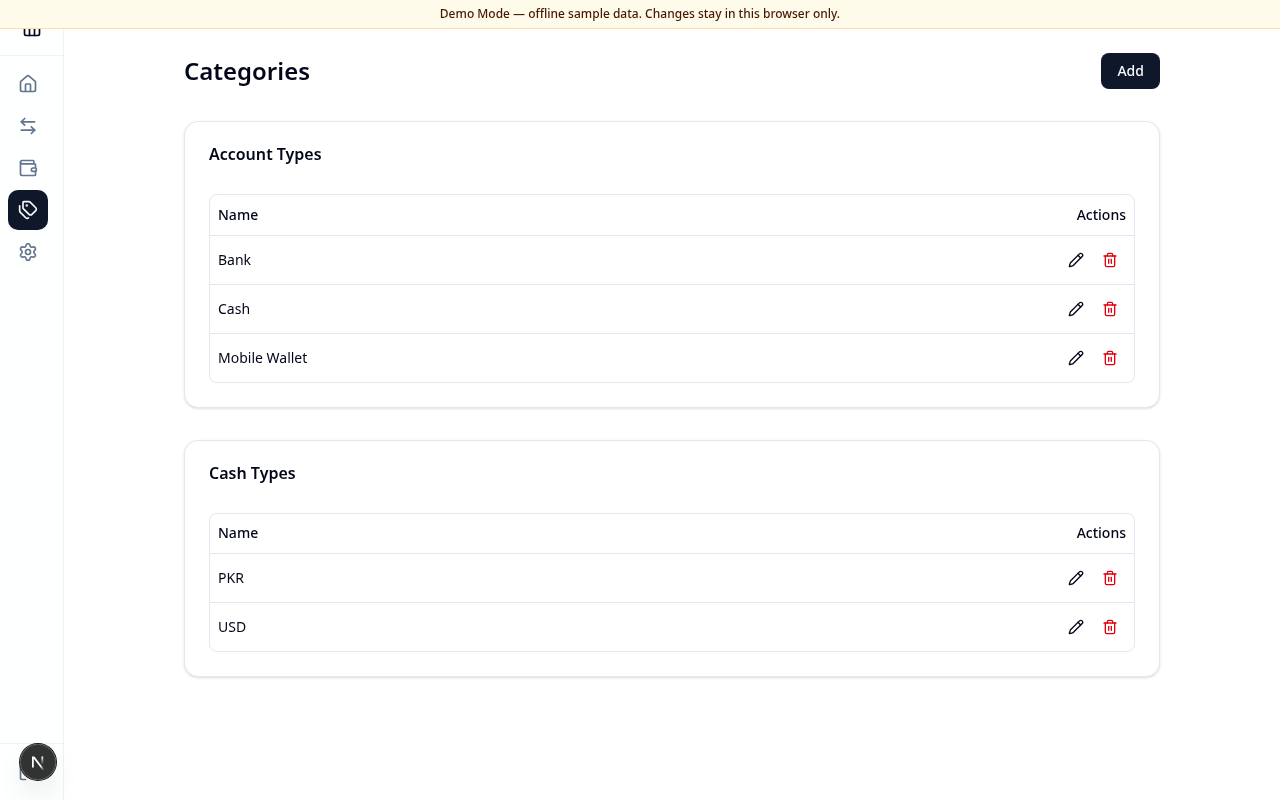
What this page does
Maintain the two lists used when creating accounts:
- Account Types (for example Bank, Cash, Mobile Wallet)
- Cash Types (for example PKR, USD)
Layout at a glance
- Categories title and Add button
- Account Types table
- Cash Types table
Each row has edit (pencil) and delete (trash) actions.
Add a category
- Choose Add.
- Enter a Name (for example
BankorPKR). - Choose Account Types or Cash Types to save into that list.
- Choose Cancel to close without saving.
Edit or delete
- Choose the pencil icon to rename, then Save.
- Choose the trash icon and confirm to delete.
- If an account still uses the category, deletion is blocked with a clear message — update those accounts first.
Errors & edge cases
- Empty name shows an error toast — enter a name before saving.
- Linked categories cannot be deleted until accounts are updated.