Transactions
Version: 1.0.0
Route: /transactions
Who can access: Signed-in users
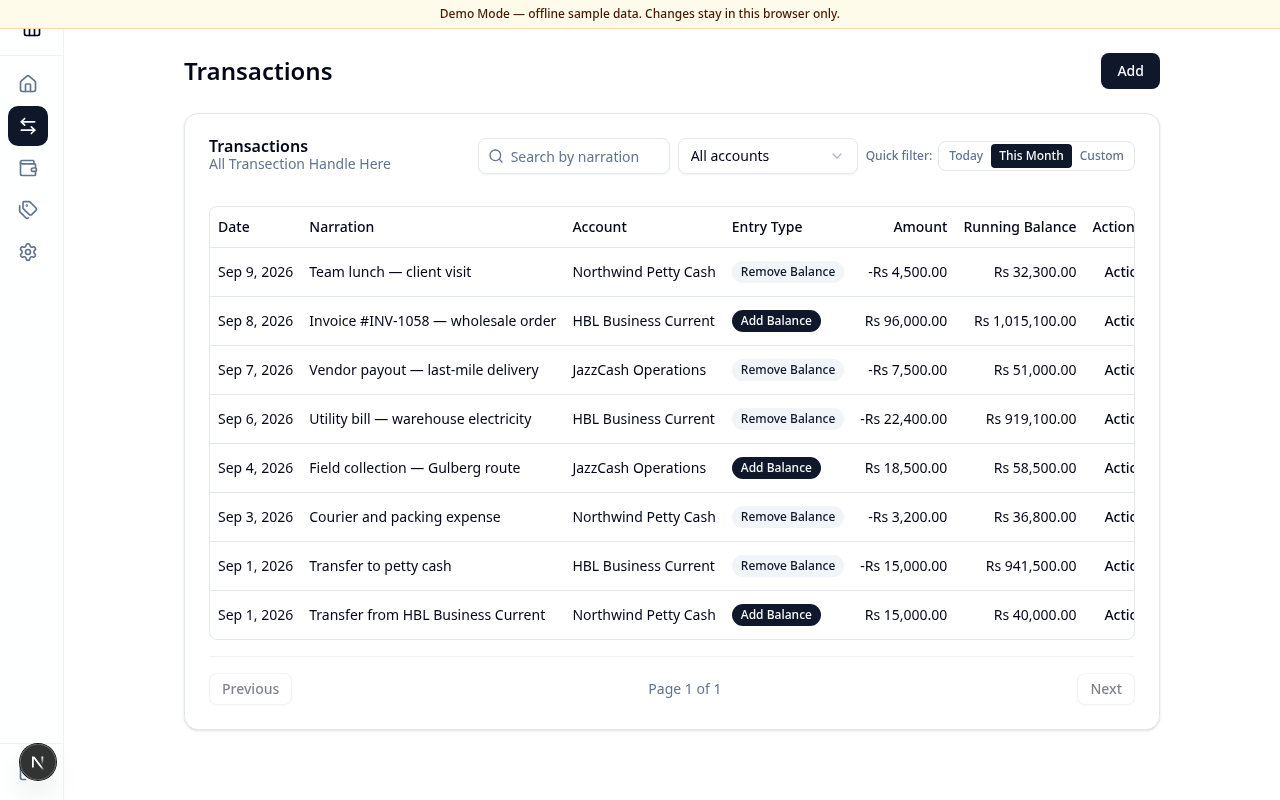
Screenshot
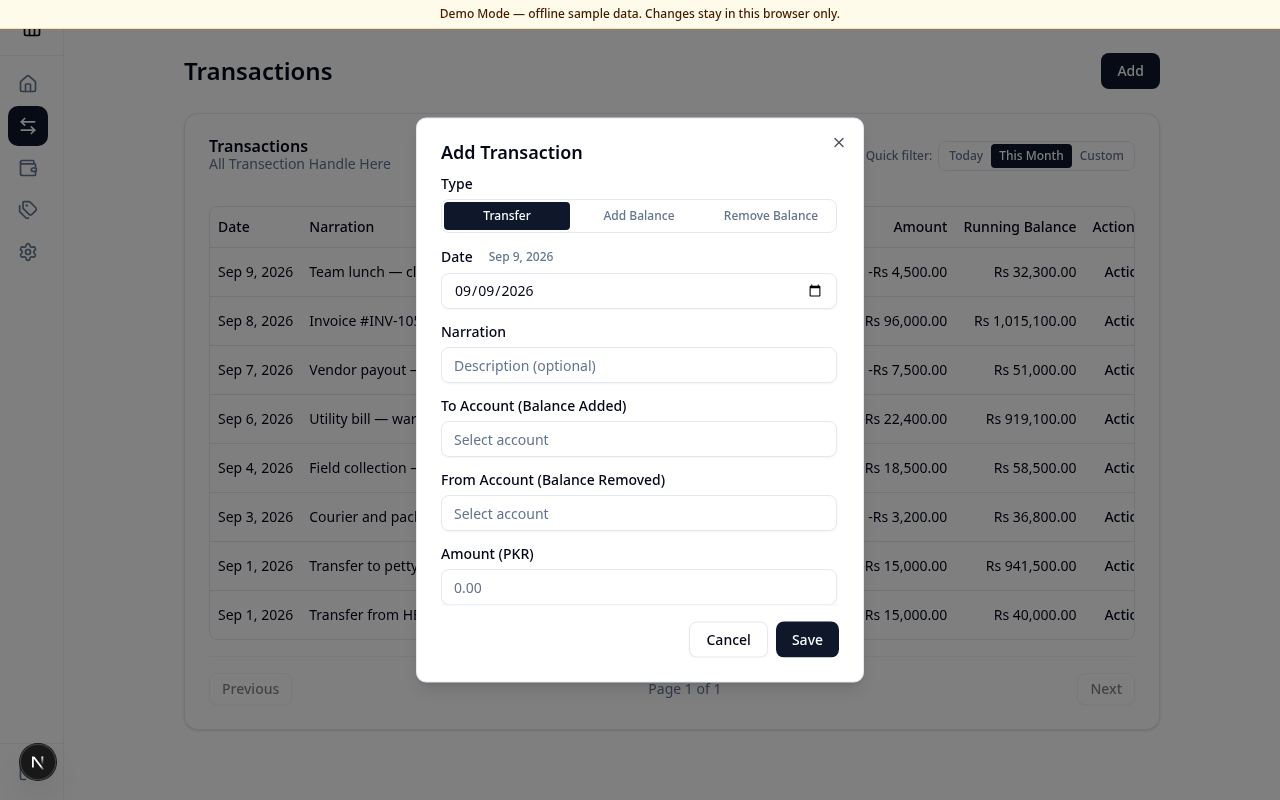
Add dialog:
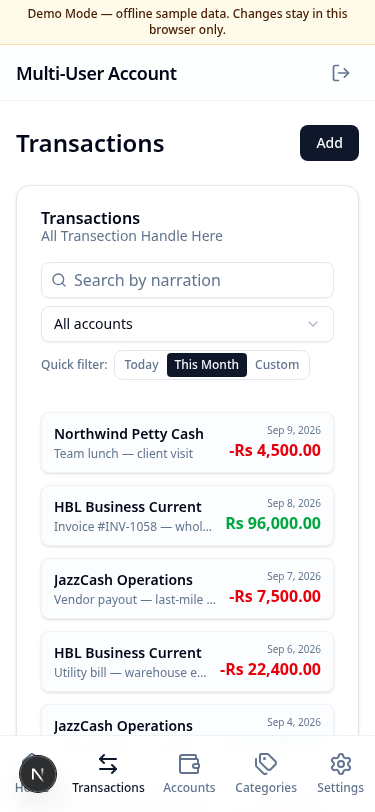
Mobile:
What this page does
Record and review ledger entries: transfers between accounts, adding balance (credit), and removing balance (debit). Amounts are in PKR. Each entry updates the account’s running balance.
Layout at a glance
- Page title and Add button
- Filters: search by narration, account filter, quick date filter (Today / This Month / Custom)
- Transaction list (table on desktop, cards on mobile)
- Pagination when there are more than 25 matching rows
Add a transaction
- Choose Add.
- Select Type: Transfer, Add Balance, or Remove Balance.
- Set Date and optional Narration.
- For a transfer, choose To Account (Balance Added) and From Account (Balance Removed) — they must be different.
- For add or remove balance, choose a single Account. A running-balance preview appears when the amount is valid.
- Enter Amount (PKR) and choose Save, or Cancel to close without saving.
Filters
- Type in Search by narration to narrow the list.
- Open All accounts to focus on one account.
- Use Quick filter to show Today, This Month (default), or a Custom date range.
Fields & columns (desktop)
| Column | Meaning |
|---|---|
| Date | Transaction date |
| Narration | Description |
| Account | Linked account name |
| Entry Type | Add Balance or Remove Balance |
| Amount | Signed PKR amount |
| Running Balance | Balance on that account after the entry |
| Action | Reserved control |
Errors & edge cases
- From and To account must be different appears if both sides of a transfer are the same account.
- If filters match nothing, you see a calm empty message — clear search or widen the date range.
- Transactions are not edited or deleted from this screen in the current release.