Sign in
Version 1.0.0
Route: /login
Who can access: anyone who is not signed in.
What this page does
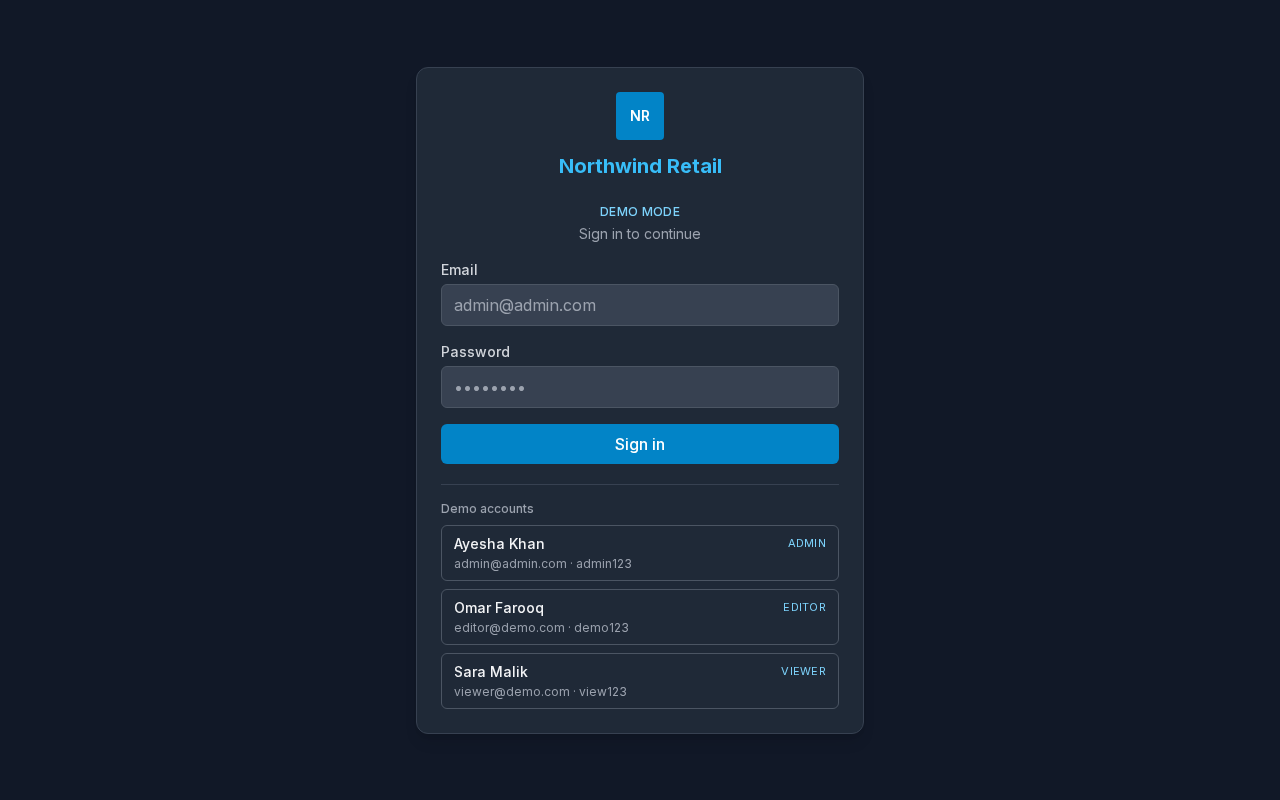
This is the door into Audit System. It shows the business name, a sign-in form, and demo account cards.
Layout at a glance
- Business initials and name
- Demo Mode label
- Email and Password
- Sign in
- Demo accounts cards for Admin, Editor, and Viewer
Steps
- Open the demo.
- Choose a card under Demo accounts, or type the email and password yourself.
- Choose Sign in if you typed the details yourself. A card signs you in immediately.
- You arrive on the Dashboard.
Fields
| Field | Required | Notes |
|---|---|---|
| Yes | The address on the account card | |
| Password | Yes | Shown on the account card for the demo |
Errors and edge cases
- A wrong email or password shows Invalid email or password. Check the card and try again.
- If you are already signed in, the app opens the Dashboard instead of this page.