Dashboard
Version 1.0.0
Route: /
Who can access: anyone whose account can view Dashboard. Admins, editors, and viewers in the demo can open it.
What this page does
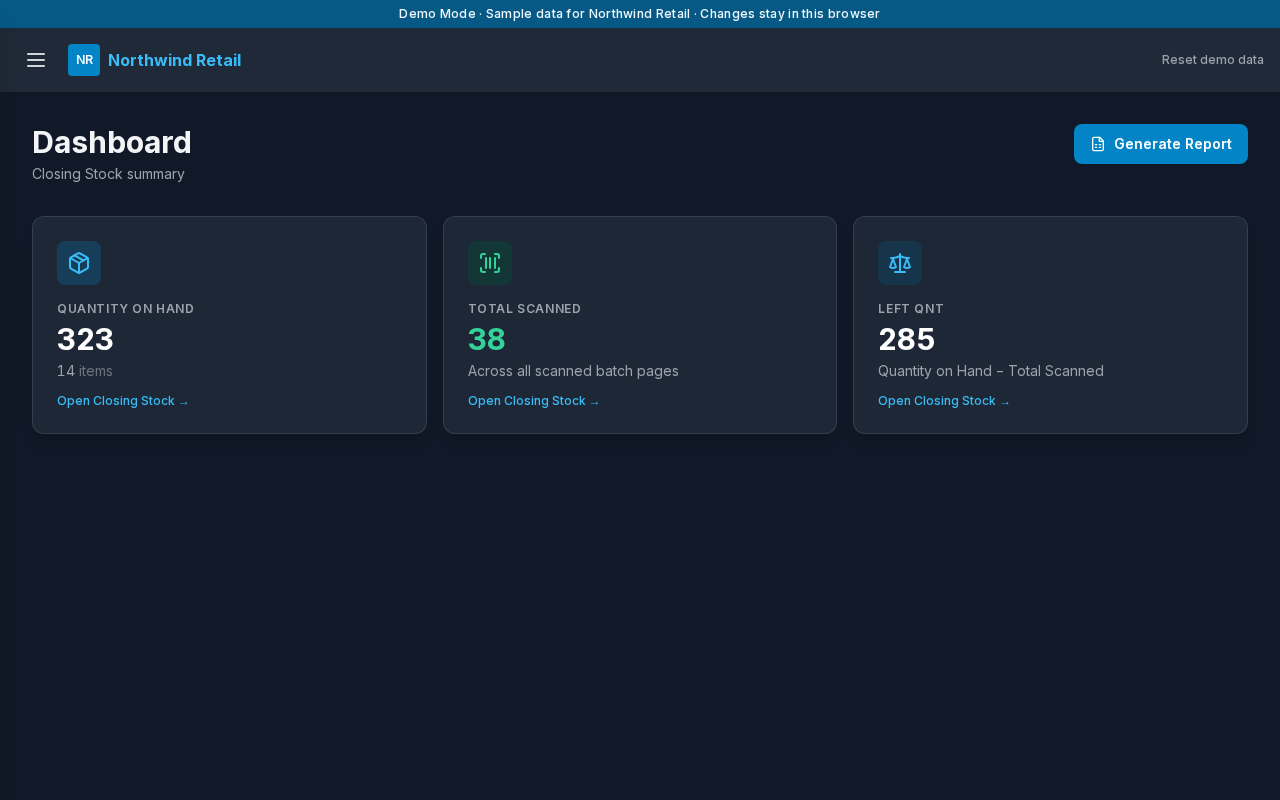
The Dashboard is the summary of the current count. It adds up every master item and every scan in every batch.
Layout at a glance
- Title Dashboard and the line Closing Stock summary
- Generate Report
- Three cards: Quantity on Hand, Total Scanned, and Left Qnt
Steps
- Sign in.
- Read Quantity on Hand. That is the sum of master stock.
- Read Total Scanned. That is every barcode saved on a batch page.
- Read Left Qnt. That is quantity on hand minus total scanned.
- Choose a card to open Closing Stock, or choose Generate Report to download an Excel workbook.
The three numbers
| Card | Meaning |
|---|---|
| Quantity on Hand | Units on the master list |
| Total Scanned | Units recorded on batch pages |
| Left Qnt | Still to account for. A negative number means more scans than quantity on hand |
The sample shop starts at 323 on hand, 38 scanned, and 285 left.
Generate Report
The workbook has a summary, a closing-stock sheet, and one sheet per batch. The button shows Generating… while the file is prepared, then the browser downloads it.
Errors and edge cases
- If the totals cannot load, the page shows the message and Reload Data.
- A viewer can open the Dashboard and download the report. They cannot change stock.