Cash & Savings
Version: 1.0.3
Route: /cash-savings
Who can access: Signed-in users.
Screenshot
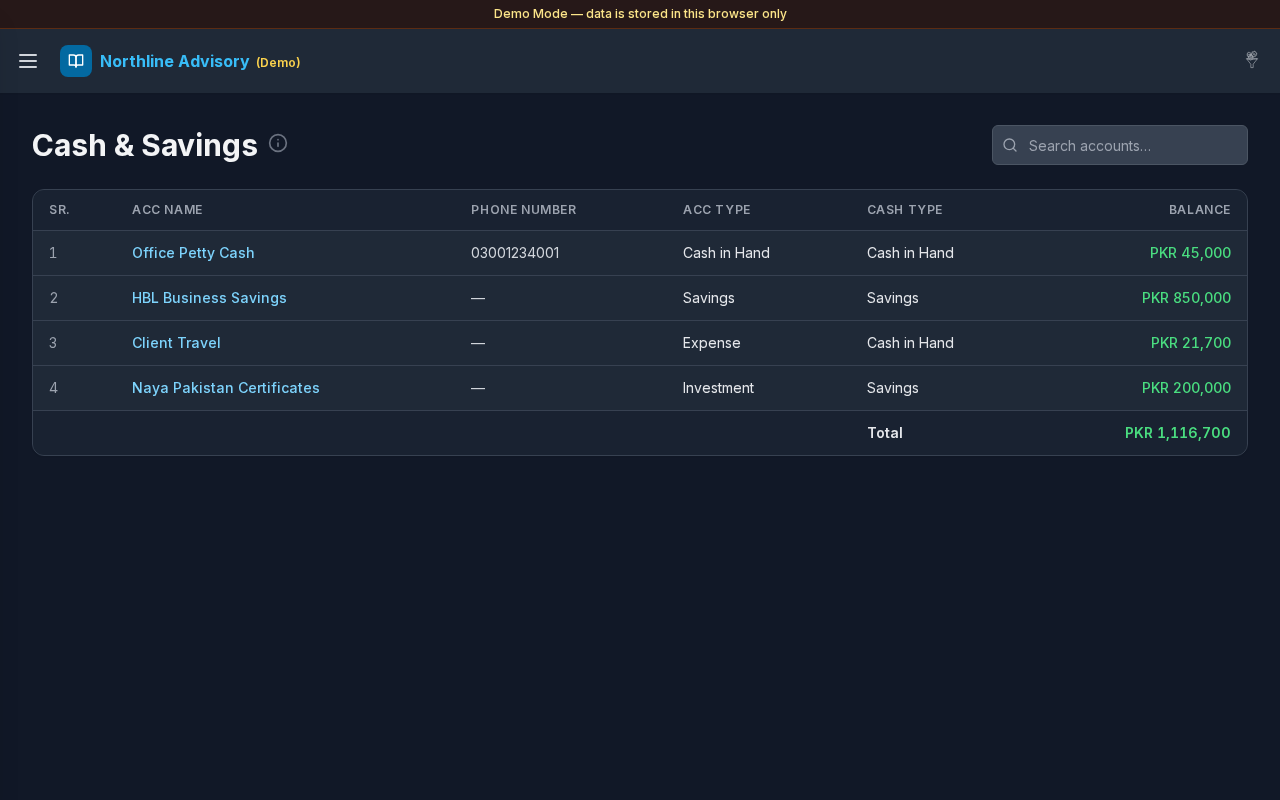
What this page does
Lists accounts that match the Cash & Savings filters configured under Settings (selected Account Type and/or Cash Type values). Use it to monitor liquid balances and jump into each account’s journal.
Layout at a glance
- Title Cash & Savings with info tip
- Search: Search accounts…
- Table: SR., ACC Name, Phone Number, ACC Type, Cash Type, Balance
- Footer Total of listed balances
- Pagination when needed
Steps
Review cash positions
- Open Cash & Savings from the sidebar (or the Dashboard KPI card).
- Read each account’s Balance (green for positive, red for negative).
- Check the Total row for the filtered set.
Search
- Enter text in Search accounts….
- Narrow by name, phone, type, or balance text.
Open an account journal
- Select an ACC Name link.
- Transactions opens filtered to that account, with a path back to Cash & Savings.
Adjust which accounts appear
- Open Settings.
- Under Cash & Savings, set Account Type and Cash Type multi-selects.
- Select Save.
- Return here — the list refreshes to matching accounts.
Table columns
| Column | Description |
|---|---|
| SR. | Row number |
| ACC Name | Linked account |
| Phone Number | Contact if set |
| ACC Type | Account type label |
| Cash Type | Cash type label |
| Balance | Current balance in default currency |
Errors & edge cases
- Empty list: No matching Cash & Savings accounts yet. Confirm Settings filters and that accounts use those types.
- No search matches: No accounts match your search.
- Info tip: accounts matching any selected Account Type or Cash Type under Settings → Cash & Savings.