Expenses
Version: 1.0.3
Route: /expenses
Who can access: Signed-in users.
Screenshot
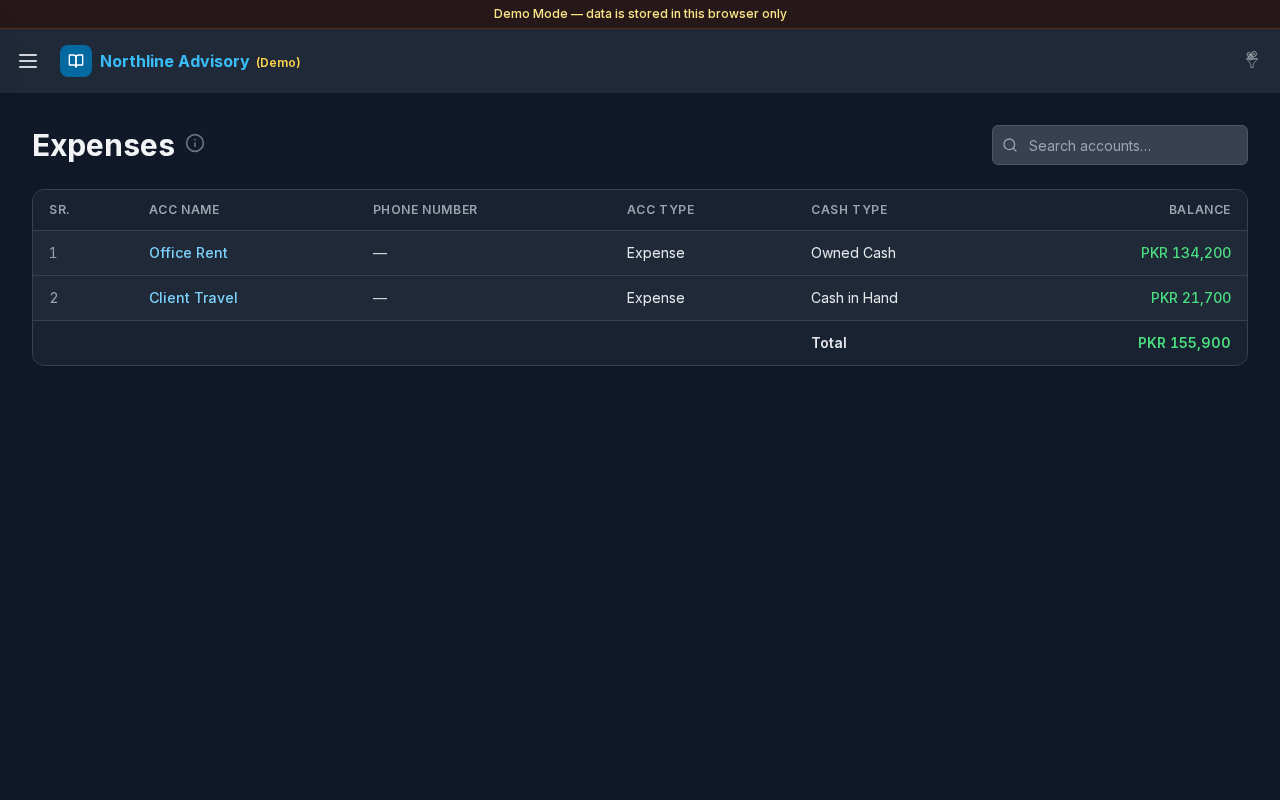
What this page does
Lists expense accounts (Account Type Expense or Expenses). From here you can open each expense head’s journal. Day- and month-level spend summaries live on sibling pages under the Expenses menu.
Layout at a glance
- Title Expenses with info tip
- Search: Search accounts…
- Account table: SR., ACC Name, Phone Number, ACC Type, Cash Type, Balance
- Total of listed expense account balances
- Sidebar siblings: Daily Expense, Monthly Expense
Steps
Browse expense heads
- Open Expenses → Expenses in the sidebar (or the Dashboard Expenses card).
- Review each expense account and its Balance.
- Select an ACC Name to open filtered Transactions.
Search
- Use Search accounts… to find an expense head by name or type.
Related expense views
- Open Daily Expense for a day calendar of spend.
- Open Monthly Expense for year-by-month totals.
Errors & edge cases
- Empty list: No Expense accounts yet. Create accounts with Account Type Expense / Expenses under Accounts.
- Info tip: accounts with Account Type Expense or Expenses.
- This page lists account balances; daily/monthly pages aggregate transaction spend.