Cash Type
Version: 1.0.3
Route: /settings/cash-type
Who can access: Signed-in users with permission to manage setup types (Admin in Demo Mode).
Screenshot
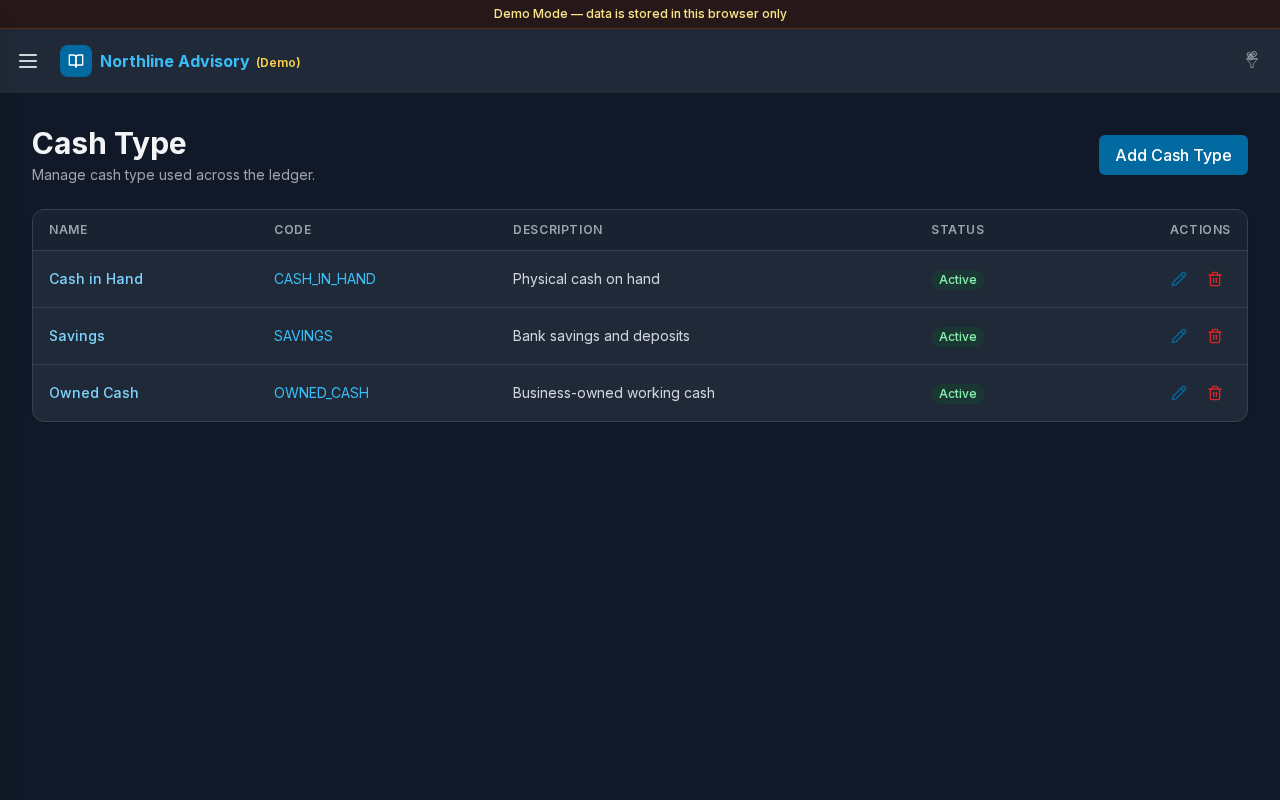
What this page does
Maintain cash-type classifications (for example Cash in Hand, Savings, Owned Cash). Combined with Account Type in Settings, these filters control which accounts appear on Cash & Savings and Payable/Receivable.
Layout at a glance
- Title Cash Type
- Add control
- List with name, code, description, active state, and related actions
- Edit and Delete controls
- Same modal pattern as Account Type
Steps
Browse cash types
- Open Settings → Cash Type.
- Review types assigned to accounts.
Add a cash type
- Select Add.
- Enter Name and Code.
- Optionally add Description and set Active.
- Save.
Edit or delete
- Use edit (pencil) to update a type.
- Use Delete and confirm when the type is no longer needed.
Wire types into views
- Open Settings.
- Assign cash types under Cash & Savings and Payable & Receivable.
- Select Save.
Fields
| Field | Required | Notes |
|---|---|---|
| Name | Yes | Displayed on accounts |
| Code | Yes | Used for CSV matching |
| Description | No | Optional |
| Active | — | Inactive types drop out of new account pickers |
Errors & edge cases
- Empty list: No cash types yet. Tap + to add one.
- Validation for name/code mirrors Account Type.
- Accounts still keep historical type labels even if you later rename a type.