Account Type
Version: 1.0.3
Route: /settings/account-type
Who can access: Signed-in users with permission to manage setup types (Admin in Demo Mode).
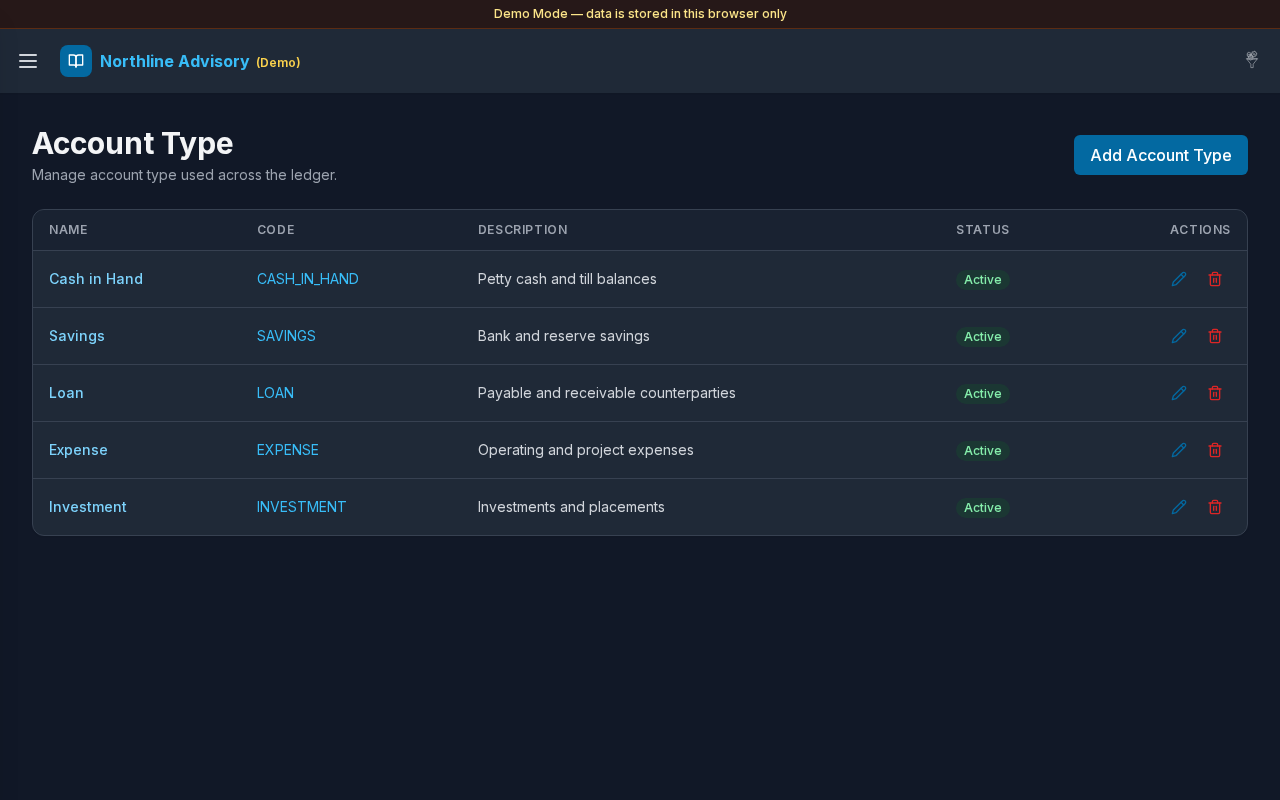
Screenshot
What this page does
Maintain the catalog of account types (for example Cash in Hand, Savings, Loan, Expense, Investment). Types drive account classification and Settings filters for Cash & Savings and Payable/Receivable.
Layout at a glance
- Title Account Type
- Add control to create a type
- List of types with name, code, description, active state, and linked account counts
- Edit (pencil) and Delete actions
- Add / edit modal for type fields
Steps
Browse types
- Open Settings → Account Type.
- Review existing types used across accounts.
Add an account type
- Select Add (or the + control).
- Enter Name and Code (required).
- Optionally enter Description.
- Set Active as needed.
- Save the type.
Edit a type
- Select the edit (pencil) control on a row.
- Update fields and save.
Delete a type
- Select Delete on a row.
- Confirm the deletion dialog if prompted.
- Prefer deactivating a type that is still in use when you need to keep history tidy.
See accounts using a type
- Where the UI shows an account count, open it to list accounts of that type.
- Manage those accounts under Accounts.
Fields
| Field | Required | Notes |
|---|---|---|
| Name | Yes | Shown on account forms and lists |
| Code | Yes | Stored uppercase; used in CSV import matching |
| Description | No | Optional helper text |
| Active | — | Inactive types are hidden from new account pickers |
Errors & edge cases
- Missing name or code: validation messages such as Code is required.
- Empty catalog: No account types yet. Tap + to add one.
- Expense and Investment pages look for type names Expense / Expenses and Invest / Investment.