Payable
Version: 1.0.3
Route: /payable
Who can access: Signed-in users.
Screenshot
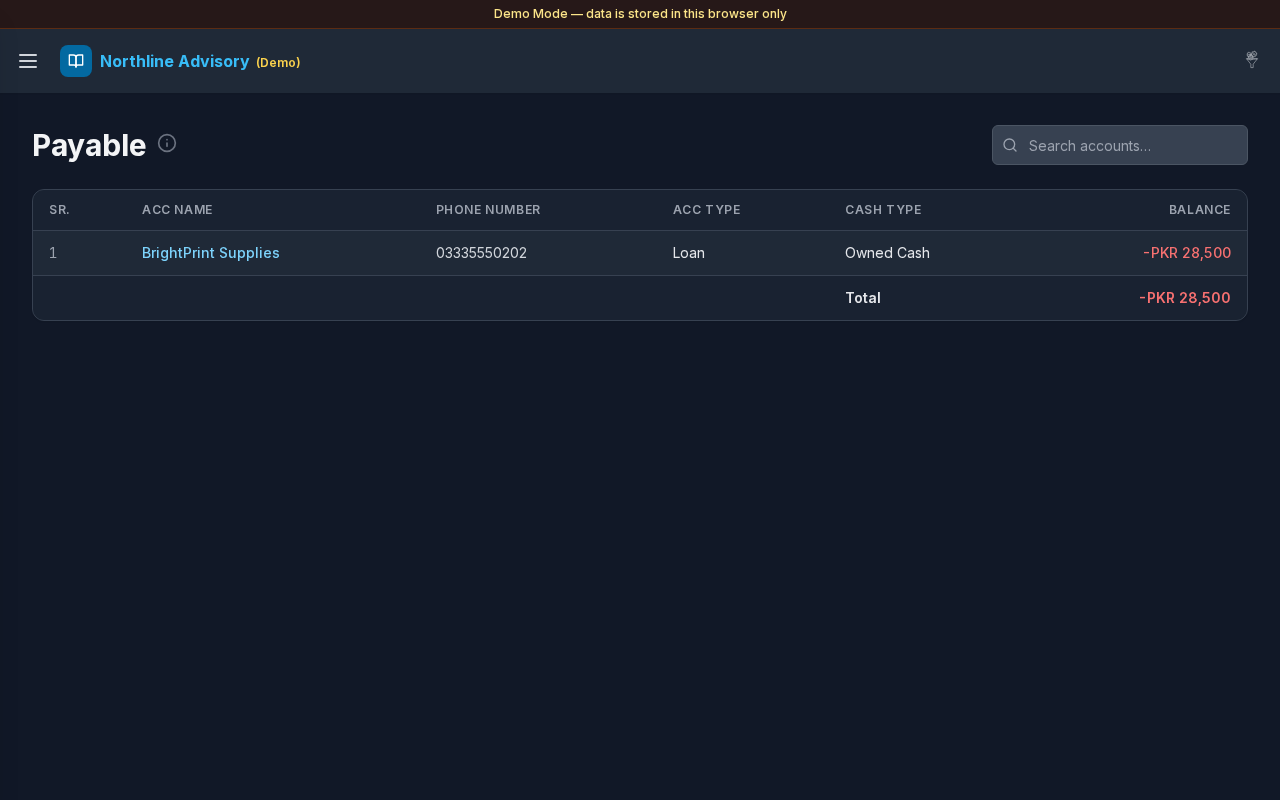
What this page does
Shows accounts that match Settings → Payable & Receivable filters and currently have a minus (negative) balance — amounts you owe.
Layout at a glance
- Title Payable with info tip
- Search: Search accounts…
- Same account table layout as Cash & Savings (SR., ACC Name, Phone Number, ACC Type, Cash Type, Balance)
- Total of listed payable balances
Steps
Review what you owe
- Open Payable from the sidebar or the Dashboard Payable card.
- Negative balances appear in red.
- Use Total for the filtered payable set.
Search and open ledgers
- Filter with Search accounts… if needed.
- Select an ACC Name to open that account’s Transactions.
Control membership
- In Settings, under Payable & Receivable, choose Account Type and Cash Type.
- Select Save.
- Only matching accounts with a negative balance appear here; the same filters with a positive balance appear under Receivable.
Errors & edge cases
- Empty list: No matching Payable accounts yet. You may have no negative balances, or filters may need updating.
- An account that moves from negative to positive leaves Payable and can appear under Receivable.
- Info tip: accounts matching Settings → Payable & Receivable with a minus (negative) balance.